AI landed on my Mac a year ago. The same time when I landed — for the first time — in Australia.
Career-wise, I came without any expectations. Moving to a new country, a new land, far from anywhere, was quite a challenge. Mixing that with AI — which is changing so many career paths these days and will continue to change them for the next few years — could really devastate you.
I'm a survivor. I'm trying to adapt to the changes and upgrade my skills to stay relevant to the things I love doing.
From Vibe Coding to AI Agents
I've been using AI with different providers, starting with vibe coding, then asking coding questions, and finally coding with an AI agent. I used different model providers like Codex, Claude, and Gemini — all of which cost money, which makes it tough when you're starting fresh in a new country.
A few weeks ago, I decided to try something else. Something that would run locally, on my localhost.
There's no place like home, right?
I researched how I could use different models on my Mac. I was at a meetup in Perth the other day and remembered someone talking about LM Studio. I said to myself: "Why not? Let's try it out."
Quickly, I discovered they released a new tool called Bionic. They wrote:
"Agentic power. At your fingertips."
What does "agentic" mean?
Agentic — having the power or autonomy to act independently to reach a specific goal. Instead of waiting for step-by-step commands, an agentic person or system makes plans, solves problems, and takes action on its own.
I want that power.
Choosing the Right Model
I started by looking at models. There were a lot of models in the store — different sizes, shapes, reasoning capabilities, and purposes. I was looking for an agent to code with me, so I did some research.
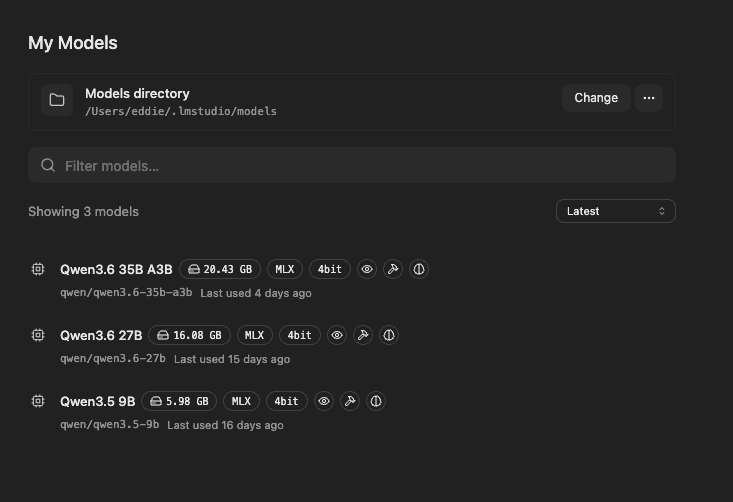
I settled on Qwen, and more specifically, Qwen3.5 9B - 4bit. It fit my machine. It was nice.
But I wanted to push the limits. I tried Qwen3.6 27B. My machine started sweating. Making fan noises. I was sure it wouldn't last like that.
Lastly, I found Qwen3.6 35B A3B — which supports a 35B dataset but only uses 3B as the active dataset. Much more reasonable.
PR #230: Redesigning My Portfolio
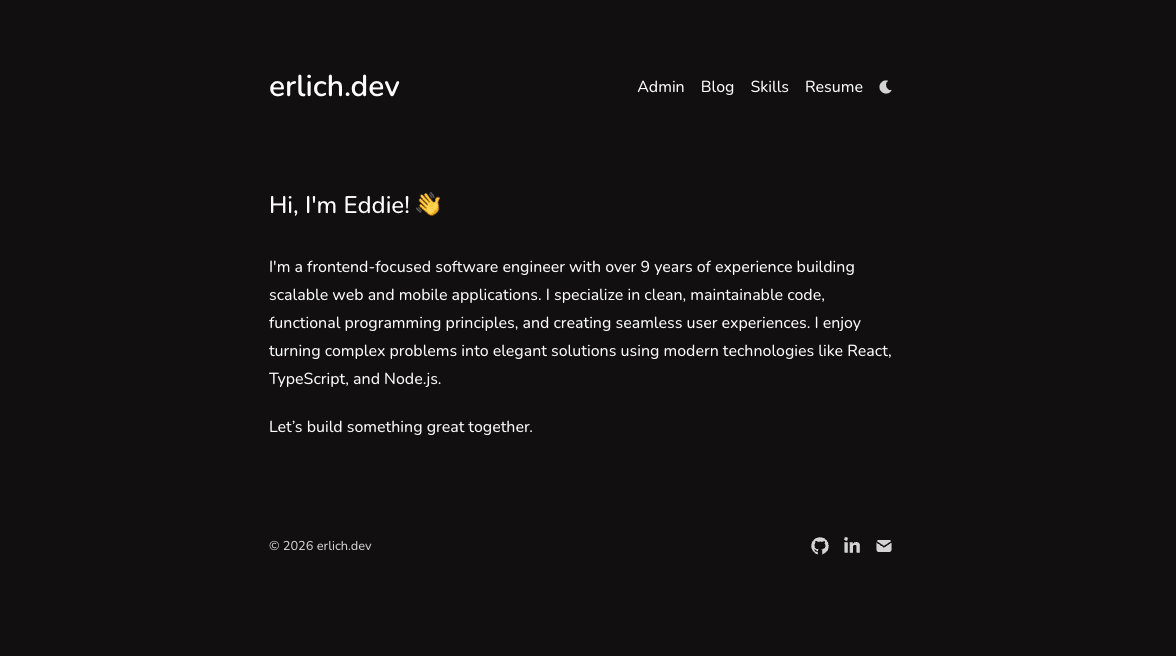
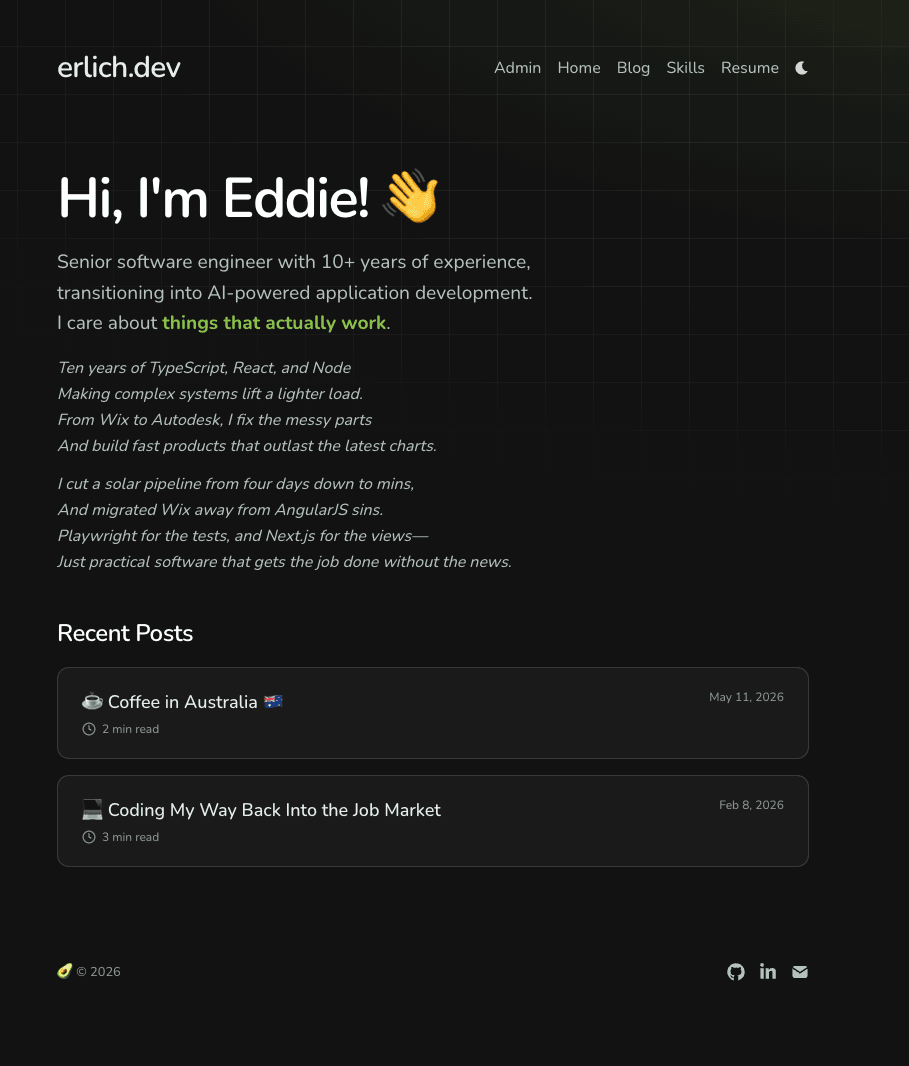
So I started a conversation with Bionic, which finally led me to PR #230 — where I redesigned my portfolio.
I think it's still minimal, but with a bit more accent. I branded it with an avocado shape and colors, and I think it looks better now.
PR #231: AI-Generated Content — A Poem About Me
Next task: adding AI as content.
Same story, using Bionic. I started a chat about adding a poetic AI touch. As a cheap bastard, I asked if there are any free AI models I could use. Qwen suggested Gemini. Great! I already knew about it. But querying it from code? Let's see how we can do that.
Qwen told me to use Gemini Flask 2.0. Sounded legit, right? I know that Flask is for quick chats, less reasoning, and it should work fast. I tried it up and got an error. Version 2.0 is deprecated.
No worries. I told Qwen, and he changed the link to Gemini Flask 2.5. I tried it again and got a new error. Version 2.5 is deprecated. Come on... Do they deprecate versions every week?
I went to their homepage and saw that the latest version is already 3.7. Wow. OK, I told the news to Qwen and asked him to find the latest model that is offered for free. He found it — version 3.5 Flash. He changed the response body, I tried it, and it worked.
Now I had to modify the response. First, it needed to understand the prompt. I asked Qwen to generate a prompt for me — the result is PR #231.
The full prompt, with examples and style rules, lives in "Under the Hood" below. The key insight: Qwen's default max output was 1024 tokens, which truncated the poem after one verse. I bumped it to 4096 and verified it still falls under Gemini's free usage terms. That's when I got a proper 3-verse poem.
PR #233: Server-Side Poem Fetching
Lastly, PR #233.
Qwen decided to use a client-side query to get the poem. But I wanted it to show no loading state on the screen. I tried to cache the response, but here's the problem: caching the response is on the client side. So my app had to show a hydrated version — meaning no caching, and only when it renders React on the client side was it able to get the content from localhost.
I had to find another method. In this PR, I changed the page to query the poem straight from the database, so it renders server-side immediately.
Adding Redis for Speed
I noticed that fetching this document from the DB took about 150ms. I ran through a thought: how do I make it faster, because why not?
So I added a Redis server to cache the response from the DB. Now I'm getting the page in 85ms. Awesome!
Before Redis:

After Redis:

Under the Hood
Here's where the rubber meets the road. Every decision in this post — model choice, version drama, token limits — converges into a single system. This section covers the database, the prompt, Redis, the cron job, and the server component. Let me pull back the curtain.
Note: All code snippets below are simplified excerpts for the blog — they are not copy-paste ready. The actual implementation varies slightly.
The Database Schema
The poems table is simple — id, content, and generatedAt. But there's one clever detail: I used bigint for the timestamp, not integer.
export const poemsTable = pgTable("poems", {
  id: integer().primaryKey().generatedAlwaysAsIdentity(),
  content: text().notNull(),
  generatedAt: bigint("generated_at", { mode: "number" }).notNull(),
});
Why? Because PostgreSQL's integer type overflows on January 19, 2038 — the infamous Year 2038 problem. I'm building this for the long haul. Using bigint with { mode: "number" } lets me store timestamps as JS numbers safely, well past 2038.
The Full Gemini Prompt
The prompt is where the magic happens. It's not just "write a poem about me." It's a carefully crafted instruction with examples:
const prompt = `
Write an original, rhyming poem (2-3 short stanzas,
3-4 lines each) based on this developer's CV.
The poem should read like a personal, confident pitch —
technical but approachable, not pretentious.

Style rules:
- Each stanza should be a self-contained "block" of 3-4 short lines
- Use end rhymes (AABB or ABAB per stanza is fine)
- Reference specific tech, tools, or achievements from the CV
- Keep it grounded and real, like something you'd say at a conference
- No titles, no fluff, no abstract metaphors about time or nature
- Return ONLY the poem text, nothing else.

Developer CV: [pasted here]
Make it sound like Eddie wrote it himself — confident,
practical, with a touch of dry humor.

Good example:
\`\`\`
TypeScript on the front
Node.js on the back
Enough testing
to sleep at 10pm.

10 years of delivering
things that actually work.
\`\`\`

Bad example:
\`\`\`
I'm Eddie, ten years deep in React, AWS, and Node,
Writing clean migrations and production-ready code.
\`\`\`
`;
(The CV paste above is truncated for brevity — the full prompt includes the complete resume details. The full prompt is available on GitHub.)
Key insights:
- Examples matter. The "good" vs "bad" examples steer the AI toward the format I want — short stanzas, not prose.
- Temperature of 0.9 gives it creative freedom while the examples keep it on track.
maxOutputTokens: 4096was the key to getting multi-verse poems instead of truncated single verses. (Qwen's default of 1024 was cutting the poem off after one verse.)
The Caching Layer
The poem fetches from the database take about 150ms. With Redis, they drop to 85ms. The caching pattern is elegant — it's "fire-and-forget":
export async function getLatestPoem(): Promise<Poem | null> {
  try {
    const cachedResult = await redis.get("poem");
    if (cachedResult) return cachedResult;

    const result = await db
      .select()
      .from(poemsTable)
      .orderBy(desc(poemsTable.generatedAt))
      .limit(1);

    const poem = result ?? [];
    if (poem.length === 0) return null;

    const data = {
      id: poem[0]?.id,
      content: poem[0]?.content,
      generatedAt: poem[0]?.generatedAt,
    };

    // Cache for 24 hours; fire-and-forget since a failed write
    // only means the next request re-reads from the DB.
    await redis.set("poem", data, { ex: 60 * 60 * 24 }).catch(() => {});

    return data;
  } catch (error) {
    Sentry.captureException(error);
    return null;
  }
}
The .catch(() => {}) on the redis.set call is intentional. If Redis is down, the next request just re-reads from the database. No broken UX, no errors to the user. The poem is stale at most 24 hours. That's acceptable.
The Daily Cron Job
A poem is generated every night at midnight UTC by GitHub Actions:
name: Generate Daily Poem

on:
  schedule:
    - cron: "0 0 * * *"
  workflow_dispatch:

jobs:
  generate:
    runs-on: ubuntu-latest
    steps:
      - name: Generate poem
        run: |
          MAX_RETRIES=3
          RETRY_DELAY=10
          for i in $(seq 1 $MAX_RETRIES); do
            HTTP_CODE=$(curl -s -o /tmp/poem_resp -w "%{http_code}" \
              -m 30 \
              -X POST "${{ secrets.API_URL }}/api/poems/generate" \
              -H "Content-Type: application/json")
            RESPONSE=$(cat /tmp/poem_resp)
            echo "Attempt $i — HTTP $HTTP_CODE"
            if [ "$HTTP_CODE" -eq 200 ]; then
              echo "✅ Poem generated successfully"
              exit 0
            fi
            if [ "$i" -lt "$MAX_RETRIES" ]; then
              echo "Retrying in ${RETRY_DELAY}s..."
              sleep $RETRY_DELAY
            fi
          done
          echo "❌ Failed after $MAX_RETRIES attempts"
          exit 1
Three retries with 10-second delays. If it fails all three times, the workflow fails and I get a GitHub notification. But more importantly, the existing poem stays on the page — the user never sees a broken state.
The Poem Component
The poem renders as a server component, parsing the content by splitting on double newlines (stanzas) and single newlines (lines):
export async function Poem({ className, fallback }: PoemProps) {
  const data = await getLatestPoem();
  const stanzas = data?.content?.split("\n\n") ?? [];

  return (
    <div className={["space-y-3 text-dim italic", className].join(" ")}>
      {data ? (
        stanzas.map((stanza, i) => (
          <div key={i}>
            {stanza.split("\n").map((line, j) => (
              <p key={j} className="leading-relaxed">
                {line}
              </p>
            ))}
          </div>
        ))
      ) : fallback ? (
        fallback
      ) : (
        <p className="text-center">No poem available yet.</p>
      )}
    </div>
  );
}
No client-side state, no loading spinners, no flicker. The poem is rendered server-side on every request, with Redis handling the speed.
Wearing Two Hats
I wear both a product hat and a tech hat. As a product person, I think about what the user sees — the poem, the design, the experience. As a tech person, I think about how it works — Redis caching, server-side rendering, cron jobs.
AI lets me switch between both without context-switching fatigue. I used to need a designer for the visual side and a backend engineer for the infra. Now I can prototype both in the same conversation.
That's just another proof to myself — but also to you.
P.S. I know you can't comment here yet, but send me a message on LinkedIn ... ;)